
Free tool
Free CV Maker: Build an ATS-Friendly CV
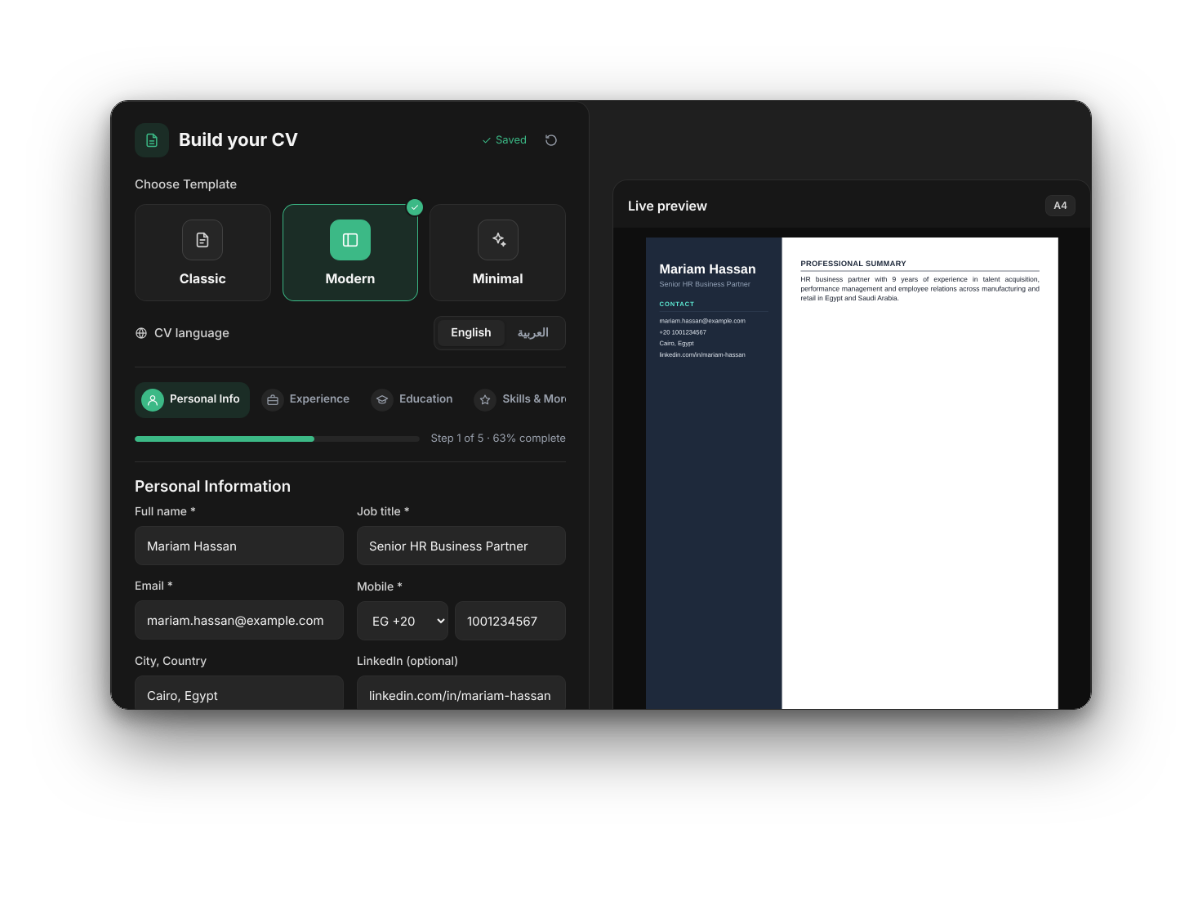
Create a clear, professional CV in English or Arabic with a live A4 preview. Fill in your details step by step, choose a template and download your CV as a PDF.
How it works
STEP 1
Choose a template and language
Pick Classic, Modern or Minimal, and write your CV in English or Arabic.
STEP 2
Fill in your details
Add your personal information, experience, education and skills. The preview updates as you type.
STEP 3
Download your PDF
Download your CV as a PDF, ready to send to employers or upload to job sites.
Tips for an ATS-friendly CV
- Use a standard job title that matches the roles you apply for.
- Start each experience line with an action and its result, with numbers where you can.
- List skills as plain words, and keep key information out of images and text boxes.
- Keep it to one or two pages, with your most recent experience first.
- Send it as a PDF unless the employer asks for a Word file.
Our templates keep a clear reading order, so applicant tracking systems can pick up your name, contact details, experience and education correctly.
Frequently asked questions
Is the CV Maker really free?
Yes. There is no charge and no account to create.
Can I write my CV in Arabic?
Yes. Choose العربية as the CV language and the layout switches to right to left.
What happens to my details when I download my CV?
To download your CV you join the Consultify talent pool, so our recruitment team can consider you for suitable roles with our clients. You can ask us to remove your data at any time by emailing info@consultifybc.com. Read our Privacy Policy.
Can I add a photo?
No. The templates are designed without a photo, which keeps the CV focused and easy for applicant tracking systems to read.
Can I come back and edit my CV later?
Yes. Your progress is saved in your browser on this device, so you can return and continue. Download a new PDF whenever you change it.
Ready to apply?
Browse the roles our recruitment team is filling for companies in Egypt and Saudi Arabia, or join our talent pool to hear about new openings.